Version 0.2.0 · Chrome and Microsoft Edge · Desktop only
Tracking is free. A new AI match check costs 1 credit; saved checks reopen free while your profile and posting are unchanged. AI answers for orange fields use usage credits. Missing facts stay for you to answer.
This is a manual installation, not a Chrome Web Store listing. Chrome on Android, Safari and Firefox are not supported. The extension sends job descriptions and form questions to Naqab and its AI provider only when you request AI help. Privacy policy
Install in your browser
Download the ZIP and extract it. Keep the extracted folder on your computer.
Open chrome://extensions in Chrome, or edge://extensions in Edge. Turn on Developer mode.
Choose Load unpacked, then select the naqab-extension folder containing manifest.json.
In Naqab, open Settings → Browser extension → Connect extension. Copy the key shown once.
Pin Naqab from your browser’s Extensions menu. Click its icon, paste your key and choose Save.
Refresh LinkedIn and open a job. Use Track in Naqab or Check match above About the job. Open Easy Apply and click Fill with Naqab on each step.
To update: download and extract the latest ZIP into the same folder, click Reload on Naqab in your browser’s extensions page, then refresh LinkedIn. Disconnect access anytime from Naqab Settings.
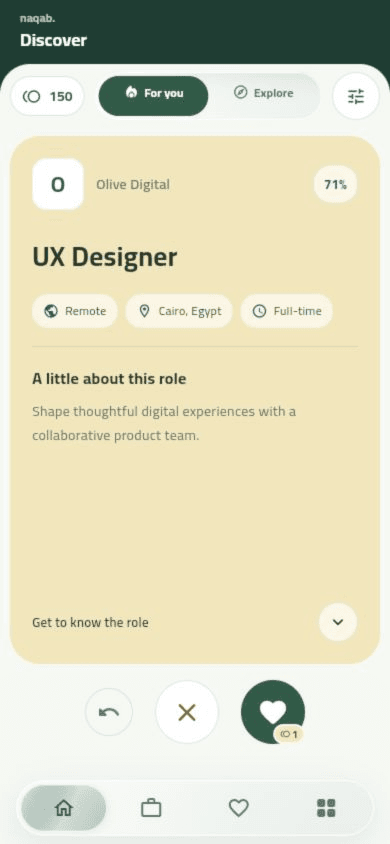
Discover
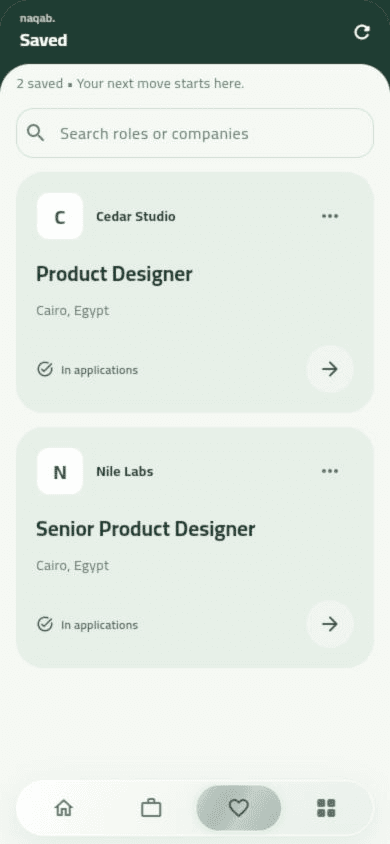
Saved jobs
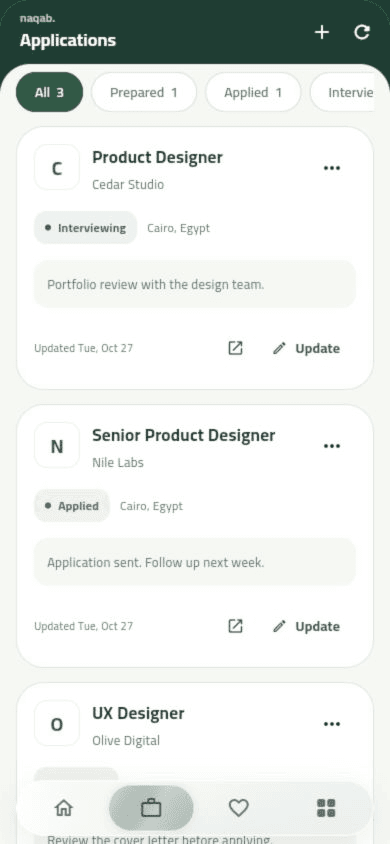
Applications
Screens from the Naqab app, showing example data.
How to install
Tap Download APK and wait for the download to finish.
Open the downloaded file from your notifications or the Downloads folder.
If Android asks, allow installing apps from your browser or file manager, then tap Install.
Open Naqab and sign in with your account.
Already have the app?
Version 1.1.2 is signed with a new release key. Uninstall the current Naqab app first, then install this version. Otherwise Android shows “App not installed”. Sign in again after installing; your profile and saved jobs stay in your account.
Safe to install
This APK comes only from this page and is signed by Naqab. If Play Protect asks, choose to install anyway.